Document automation for your no-code database
Turn records into invoices, quotes, contracts, certificates and reports, from a template you design once. Generate them from Airtable, monday.com, Softr or Fibery, and deliver them without copy and paste.
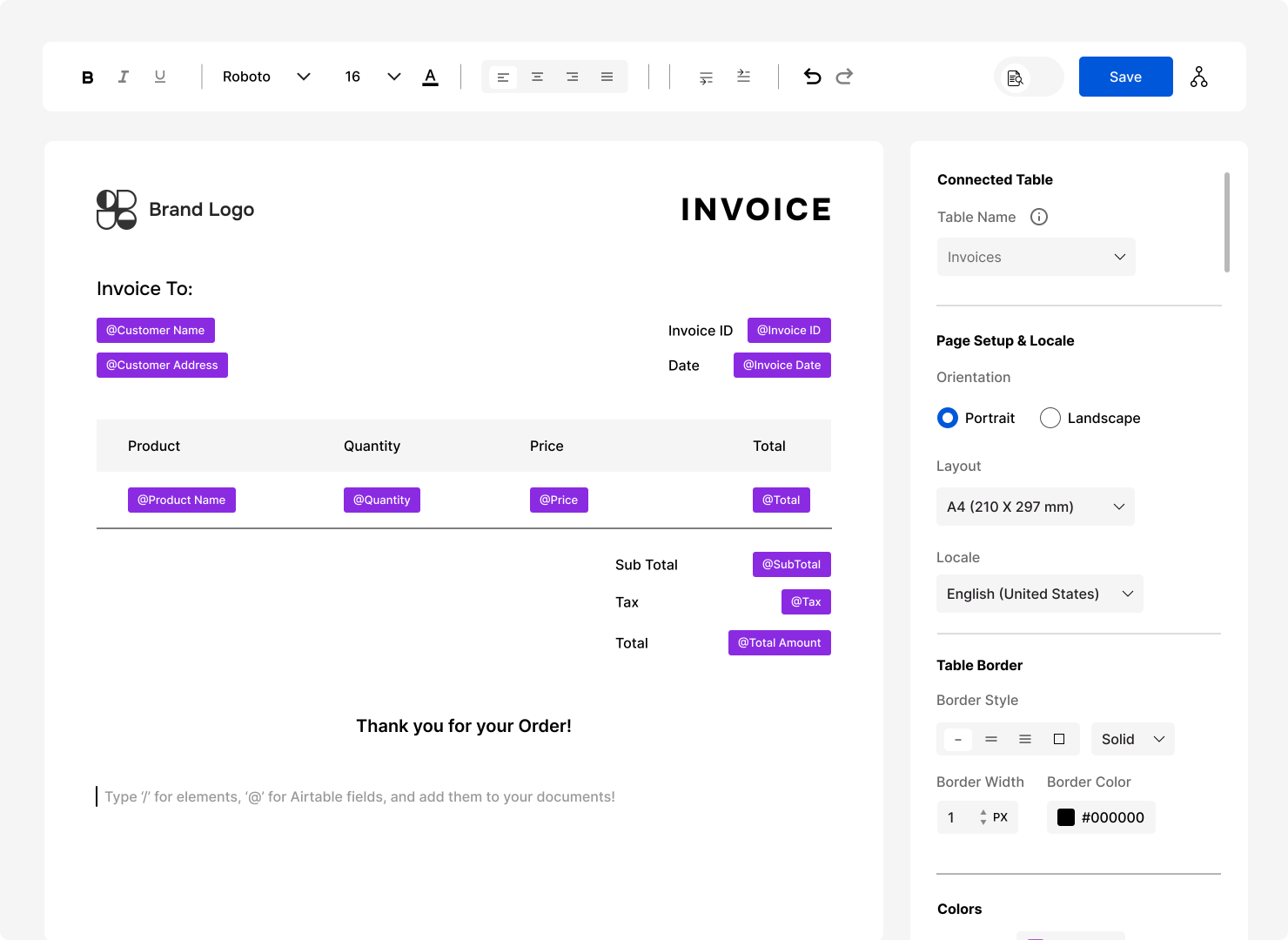
Documents you can automate
Any document built from a record and the records linked to it. These are the ones teams start with.
Invoices and receipts
Line items from linked records, taxes and totals, sent when an invoice is ready.
Invoice templateQuotes and estimates
Prices and line items pulled from the deal or job, ready to send for approval.
Purchase orders
Suppliers, products and quantities from your procurement records.
Purchase order templateContracts and agreements
Terms filled in from the record, then sent for e-signature.
Lease agreement templateWork orders and inspection reports
Job details, photos and checklists for every visit.
Packing slips and shipping documents
Order lines and delivery details for every shipment.
How document automation works
Set it up once, and every document after that builds itself.

Connect your database

Design the template once

Generate automatically
Everything your documents need
Control how every page looks, from the paper size to the file name.

Page size and orientation

Headers, footers and page numbers
Page breaks and long tables

Images, barcodes and QR codes

File names from your data

Local dates, numbers and currency
Document automation for your platform
See how documents are set up in the tool you use.
PDF generators
Invoice generators
 Airtable Invoice GeneratorCreate invoices with line items from related records.
 monday.com Invoice GeneratorCreate invoices with line items from related records.
 Softr Invoice GeneratorCreate invoices with line items from related records.
 Fibery Invoice GeneratorCreate invoices with line items from related records.
Document automation FAQ
What is document automation?
Document automation creates documents from your data instead of by hand. With FlexiPage, you design a template once, and each record in your database becomes a finished PDF, on demand or from your platform's automations.
Do I need to write code?
No. You design templates in a visual editor. To automate them, you add FlexiPage to your platform's automation: a script you copy and paste in Airtable, Softr and Fibery, or the Generate template document action in monday.com.
Which tools does FlexiPage work with?
Airtable, monday.com, Softr and Fibery. Each has its own page with the setup for that platform.
Can documents be signed?
Yes. Send any generated document for e-signature and track its status in FlexiPage.
Where do finished documents go?
FlexiPage can attach each PDF to its record, email it, keep it at a permanent link, send it for e-signature, or post it to the item's Updates in monday.com.
Because automation should feel effortless.
Flexipage helps you automate what’s repetitive so you can focus on what’s important.
It’s not just another integration. It’s a reliable partner for your business communication and document workflow.